

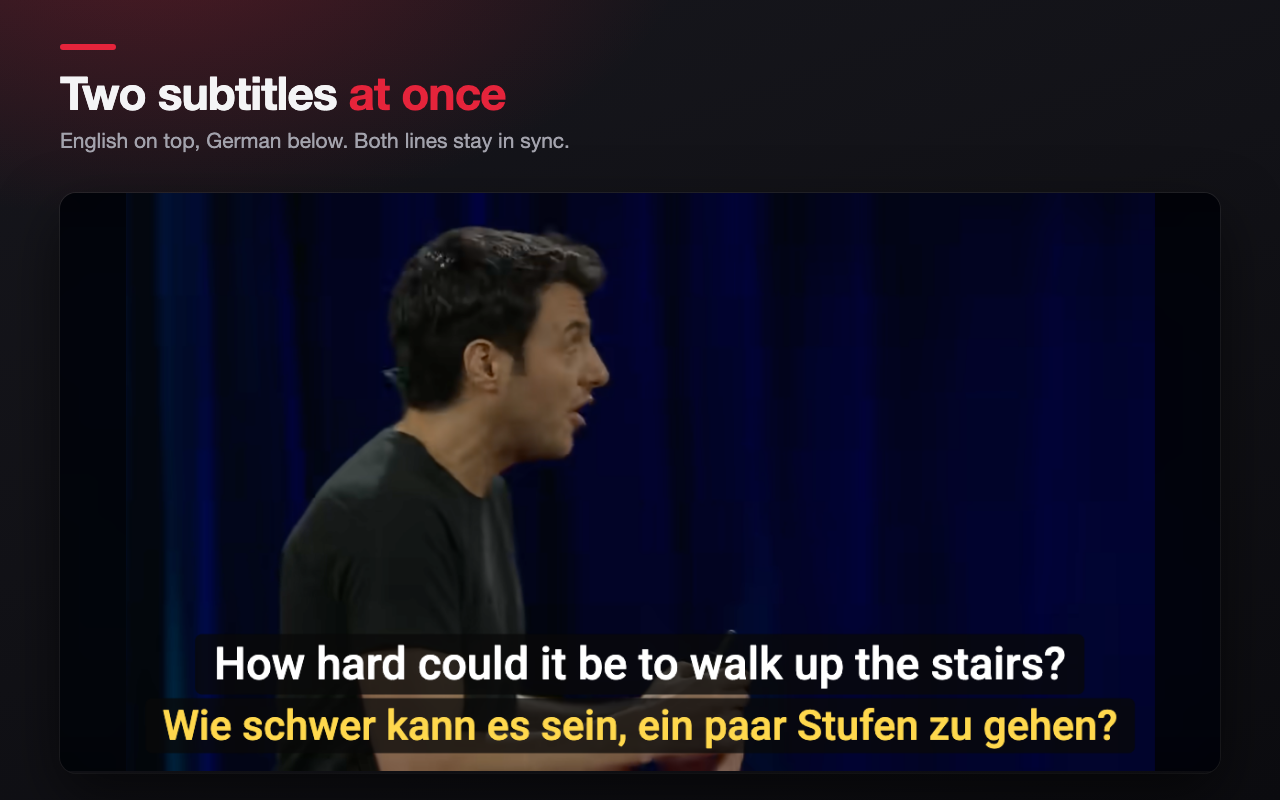
Watch YouTube with two subtitles at the same time. The original is on top and the translation is right below it. Learn a language by watching what you love.
What you get
- Original and translation at once. Both lines sit on the video and stay in sync.
- Works with every kind of track: subtitles uploaded by the creator, automatic captions, and YouTube's own auto-translate.
- Sentence alignment. Automatic captions are cut in odd pieces. Dual Subtitles joins them into whole sentences and matches the translation to the same sentence.
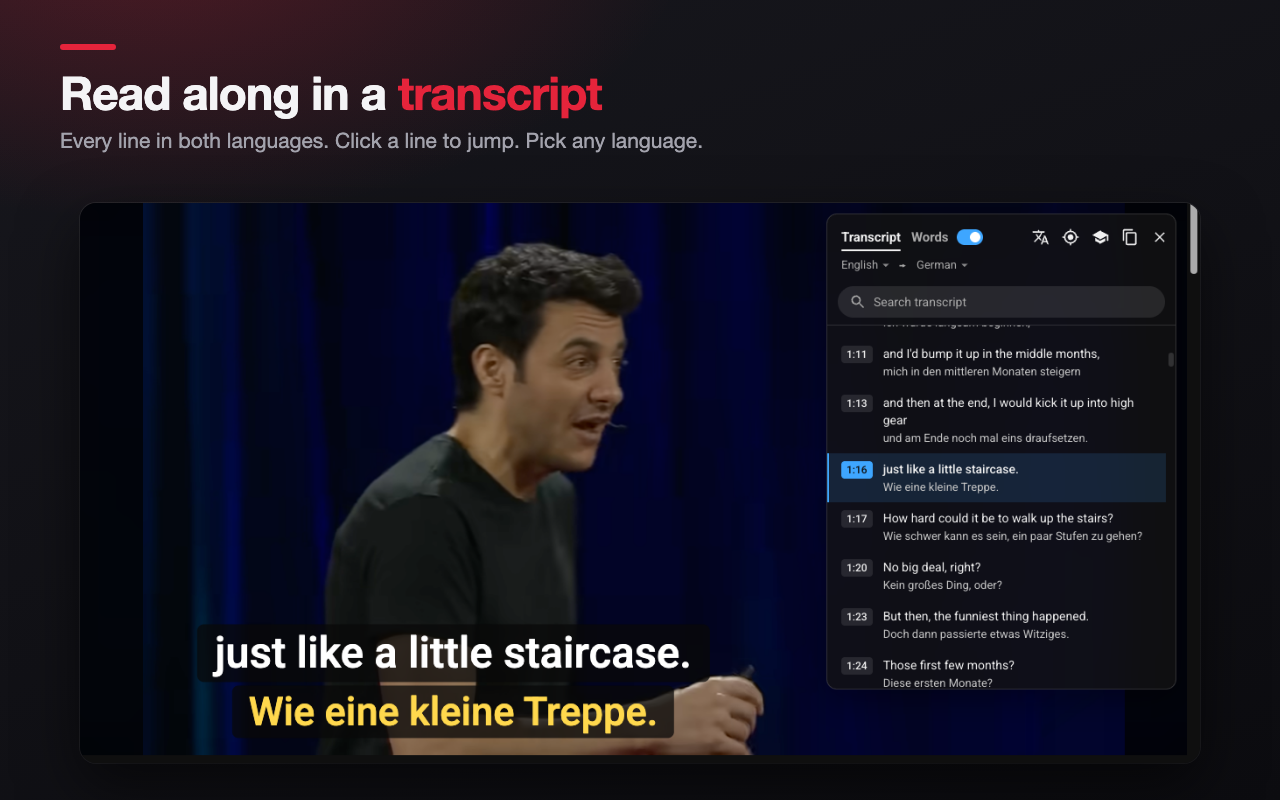
- Transcript panel. See every line in both languages next to the video. Click a line to jump there. Search the text. Choose the original and the translation language from a list.
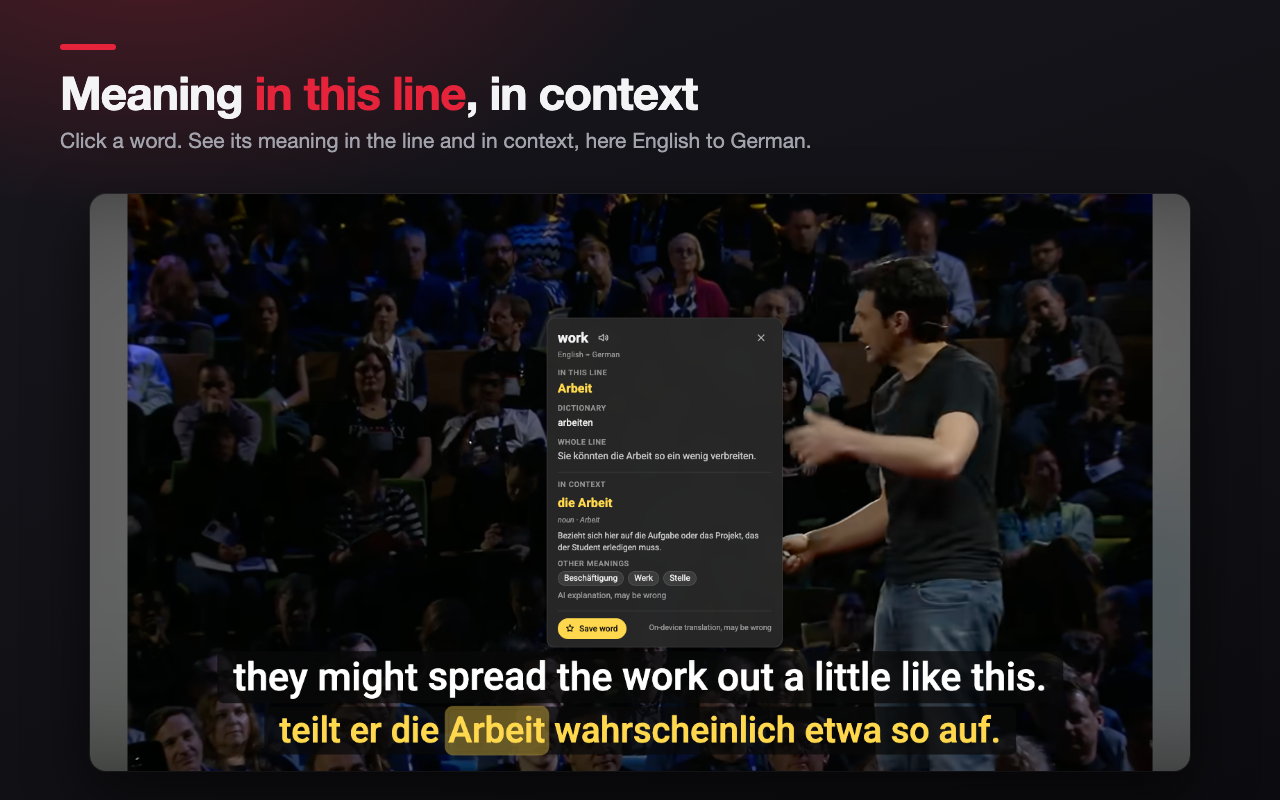
- Click a word to see its meaning. The translation runs on your device with Chrome's built-in Translator, so the text does not leave your computer. For English words there is a fallback that shows definitions from Wiktionary.
- Word book. Save words with their sentence and the time in the video. Export them as an Anki file or CSV.
- Download subtitles. Dual-language SRT, original-only SRT, translation-only SRT, dual WebVTT, and TXT.
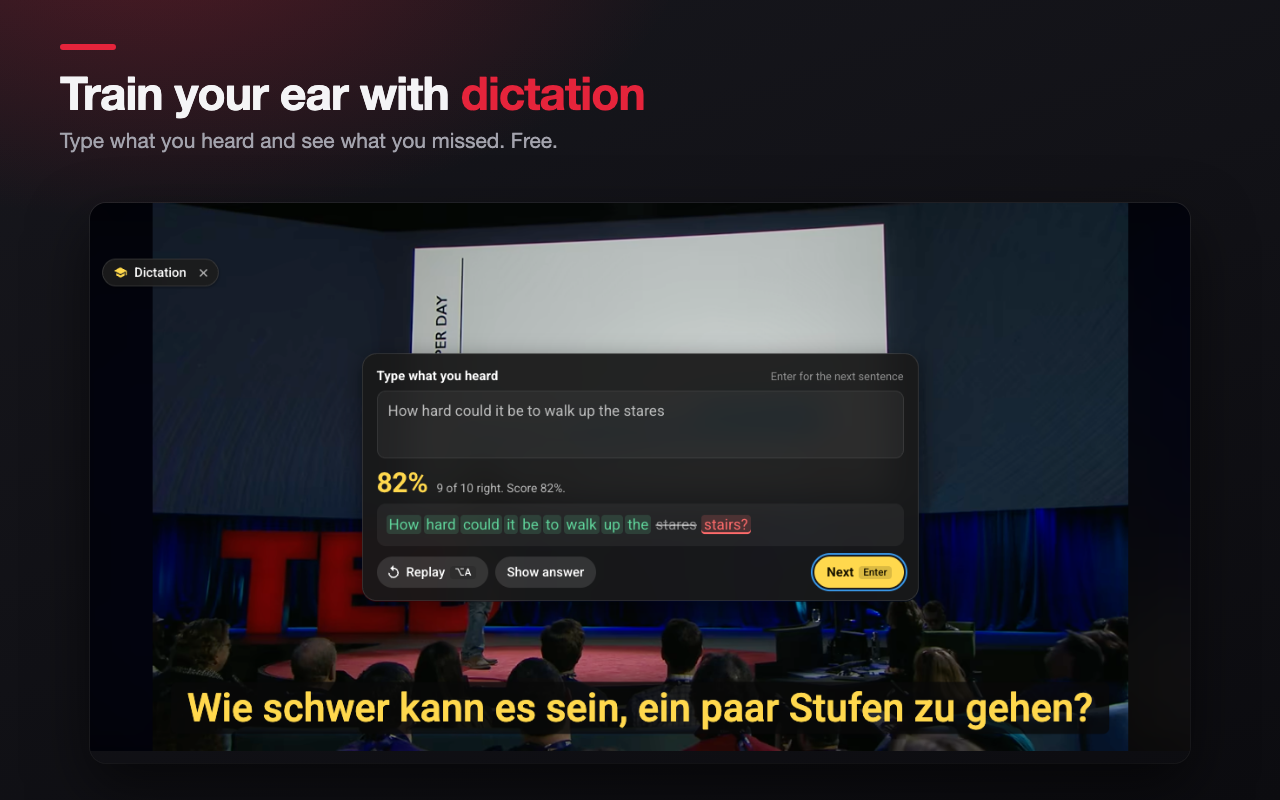
- Practice tools. Loop the current line. Slow the video down to 0.75x or 0.5x. Hide the original or the translation until you hover over the lines.
- Make it yours. Ready-made styles plus full control of font, size, weight, color, background and outline for each line. Drag the lines anywhere on the player. Live preview in the settings.
- Keyboard shortcuts. Turn subtitles on or off, show or hide the translation, go to the previous or next line, repeat a line, open the panel. You can change every key.
- Works on regular videos, Shorts, theater mode, fullscreen, the mini player, and embedded YouTube videos on other sites.
- 14 interface languages.
How it works
Open a video on YouTube. Dual Subtitles reads the subtitle track the video already has and shows it with a second track in your language. Pick the languages in the popup or in the panel. Your choice is remembered for each video.
Free to use
All the features above are free. Nothing in the list above needs an account.
PRO (OPTIONAL)
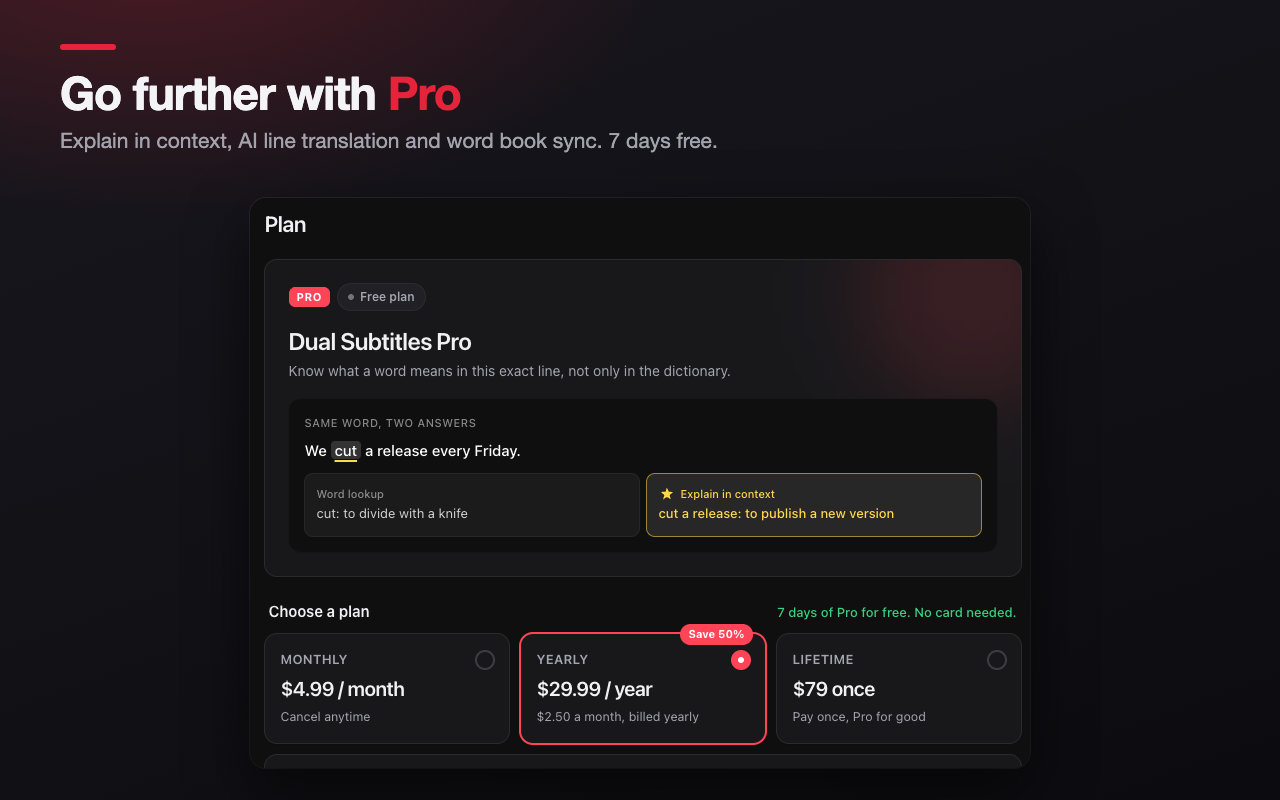
Pro adds "Explain in context": the meaning of a word in this exact line, with phrases and idioms (for example "cut a release" = publish a new version). It needs a free account.
- Free accounts: 5 explanations a day. Pro: 300 a day.
- Pro can explain every word you click, automatically.
- Saved words keep the meaning in context, and your Anki cards show it.
- Try Pro free for 7 days. No card needed. After that: $4.99 a month, $29.99 a year, or $79 once. Cancel anytime.
Nothing that is free today becomes paid.
Privacy
Your settings and your word book stay in your browser. The extension sends a small amount of anonymous usage data about whether captions loaded (no video links, no titles, no subtitle text).
This extension is not affiliated with, endorsed by, or sponsored by YouTube or Google. YouTube is a trademark of Google LLC.